

DC3
Well-known member
- Joined
- Nov 25, 2020
- Messages
- 64
- Location
- Cumming, GA
- Fluid Motion Model
- C-32 C
- Hull Identification Number
- FMLT32C07H12
- Non-Fluid Motion Model
- Crest 230 tri-toon; BW 130 Super Sport
- Vessel Name
- Blue Heaven
- MMSI Number
- 338546431
Webasto AC
We have Webasto air conditioners with FCF thermostat for the main cabin and a second one for the berth. The one in the berth runs the fan on high and does not respond to changes on the thermostat. It's like sleeping next to a jet engine. When I googled it there is a programming function that allows you to set the fan to a fixed level or automatic. I am thinking that at some point it got locked into the high setting. From what I have read the programming mode for the fan is “b” and setting “ba” or “b1 to 5” with b5 being locked into high fan speed and “ba” being automatic.When I googled the picture of the thermostat it said Webasto FCF Classic digital display.
Does anyone know how to get the FCF thermostat into programming mode?
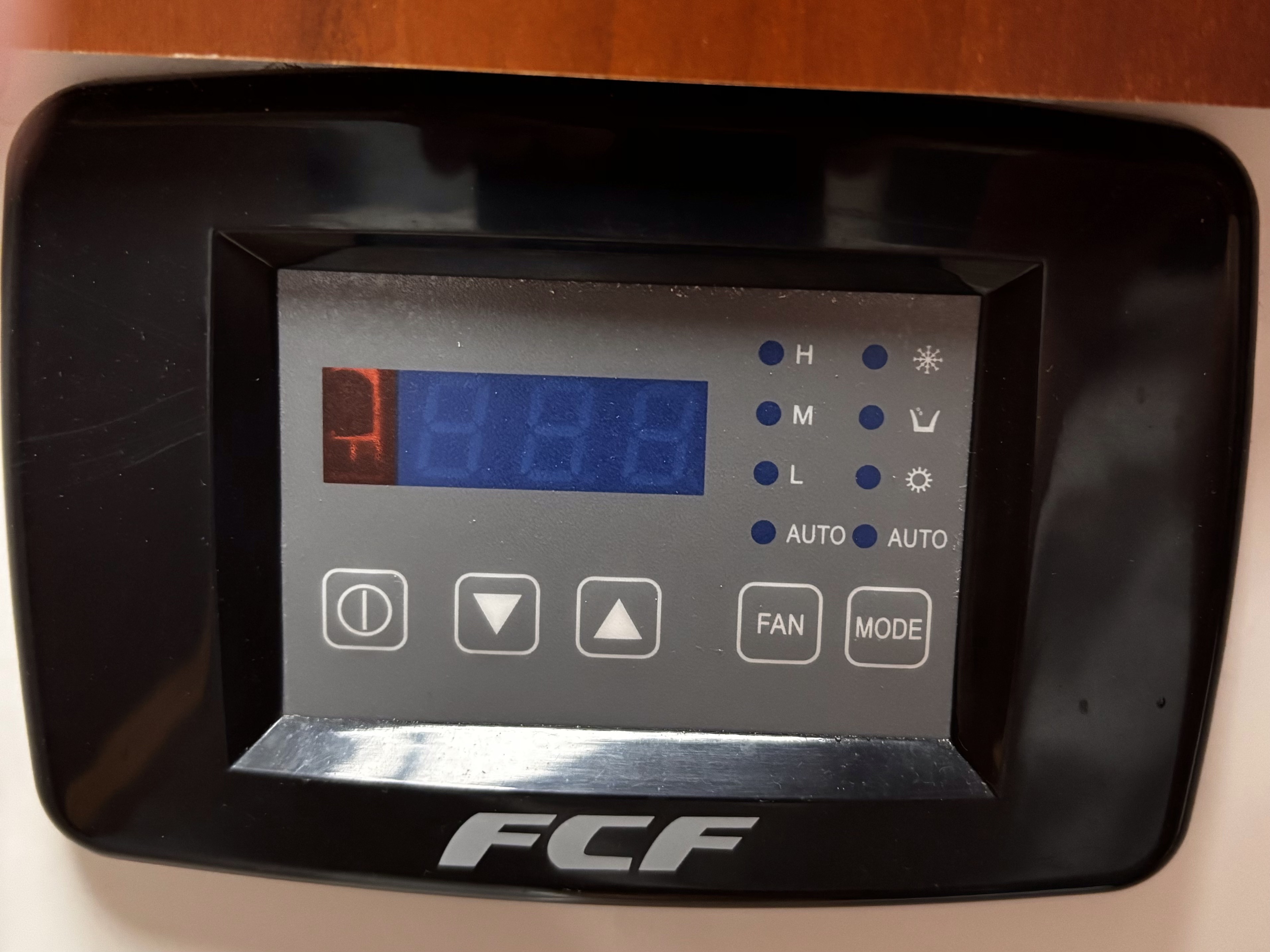
We have Webasto air conditioners with FCF thermostat for the main cabin and a second one for the berth. The one in the berth runs the fan on high and does not respond to changes on the thermostat. It's like sleeping next to a jet engine. When I googled it there is a programming function that allows you to set the fan to a fixed level or automatic. I am thinking that at some point it got locked into the high setting. From what I have read the programming mode for the fan is “b” and setting “ba” or “b1 to 5” with b5 being locked into high fan speed and “ba” being automatic.When I googled the picture of the thermostat it said Webasto FCF Classic digital display.
Does anyone know how to get the FCF thermostat into programming mode?
Attachments
Last edited: